
ClearTok Alternatives: Features and Tools Compared
Have you ever wanted to see what someone has reposted on TikTok, only to find that it takes too much time to look through their profile? Maybe you are curious about a creator’s favorite videos. Maybe you are researching content for your next campaign. Or maybe you found a video that someone shared and want to watch it again later.
Whatever your reason, a TikTok repost viewer can make the process easier. Some tools help you understand repost activity through analytics, while others let you explore videos, check available details, and save content for later.
ClearTok is one TikTok repost viewer to consider if you want to analyze public repost activity. But if you mainly want to watch reposted videos without connecting your TikTok account, you may want to consider other tools, too.
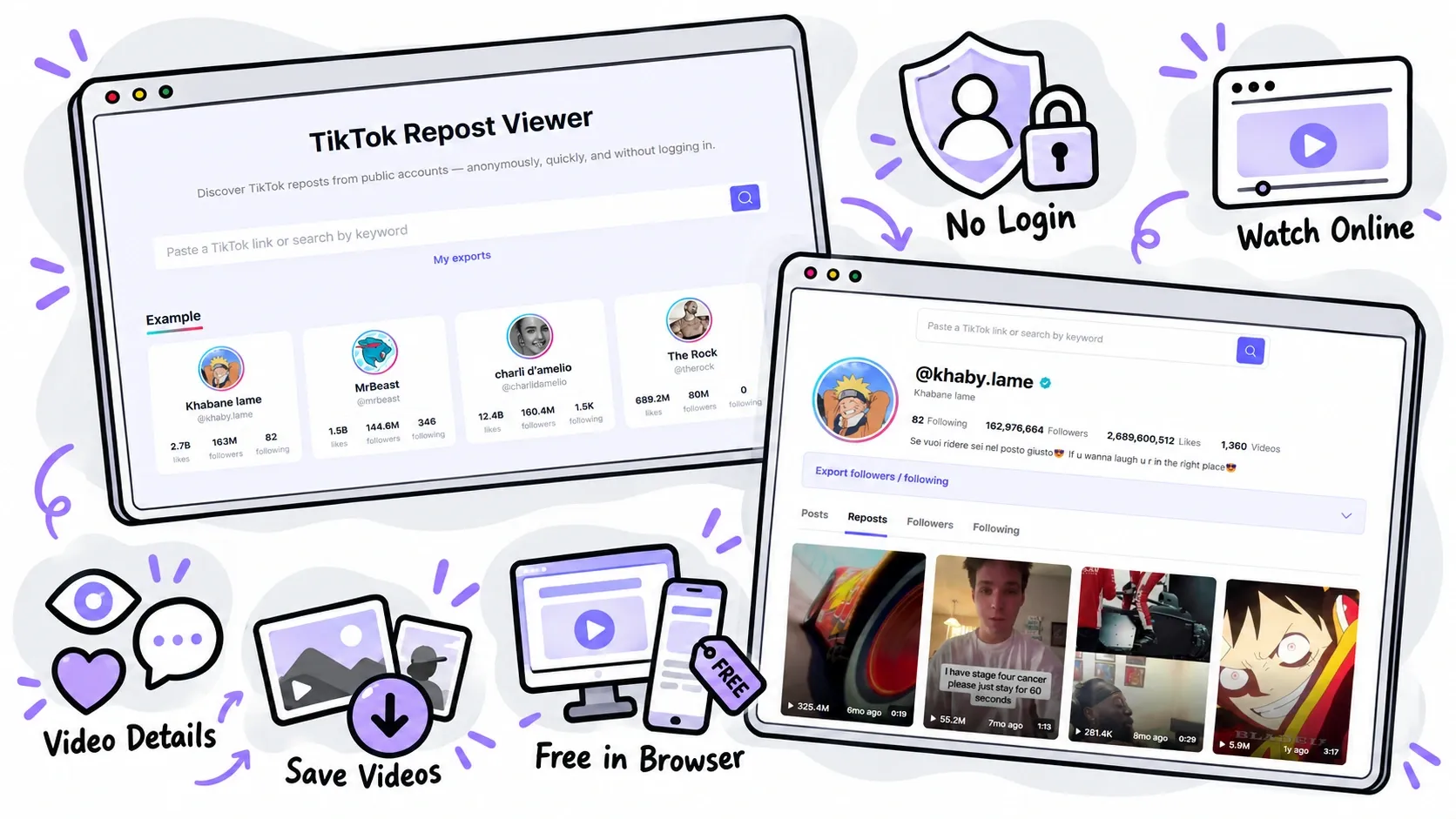
EasyComment takes a more viewing-focused approach. Its TikTok Repost Viewer lets you explore available public reposts anonymously, preview supported videos, check available engagement details, and download supported videos without watermarks.
In this guide, we will review ClearTok’s features, explain how to choose a TikTok repost viewer, and compare its analytics approach with EasyComment’s viewing features.
What Is ClearTok Repost Insights?
ClearTok offers Repost Insights, a TikTok repost viewer focused on understanding repost activity on public profiles.
Instead of showing only a list of shared videos, ClearTok focuses on repost analytics. Users can enter a public TikTok username or profile link to check available repost counts, review timing patterns, identify frequently reposted creators, and explore common topics in captions and tags.
Repost Counts and Activity Trends
A repost counter is one of the main features of ClearTok’s TikTok repost viewer. It helps users check how many reposts are currently visible on a public profile without counting them by hand.
ClearTok also presents repost timing patterns. These can help you see whether an account reposts videos regularly or shares a lot of content during certain periods.
For example, a social media manager may want to review a creator’s public repost activity before planning a campaign. A count and timeline can provide a quick overview of the account’s sharing habits.
Keep in mind that a repost count reflects the information the tool can access at the time of the search. It may not represent every repost an account has ever made, especially when videos have been deleted or restricted.
Top Creators and Common Topics
ClearTok also helps users identify creators who appear often in an account’s repost history. Its topic analysis looks at words and themes in available captions and tags.
These features can make a TikTok repost viewer useful for researching recurring creators and content themes.
For example, a brand working in the fitness industry may want to see which creators appear frequently in another public account’s reposts. The team may also want to identify common themes, such as home workouts, running, or strength training.
These details can provide useful research clues, but they do not prove that two creators work together or that an account supports a particular brand.
Who Is ClearTok Best For?
ClearTok may be a good fit if you want to:
- Check the number of publicly visible reposts on an account.
- Review repost timing and activity patterns.
- Find creators who appear frequently in repost history.
- Explore common topics in repost captions and tags.
- Review repost activity before deciding whether to remove old reposts.
ClearTok’s main strength as a TikTok repost viewer is its focus on repost analysis. If you want to understand account activity and spot patterns, these features can be useful. If your main goal is to watch shared videos or save content for later, you may want to look at other options.

What Should You Look for in a TikTok Repost Viewer?
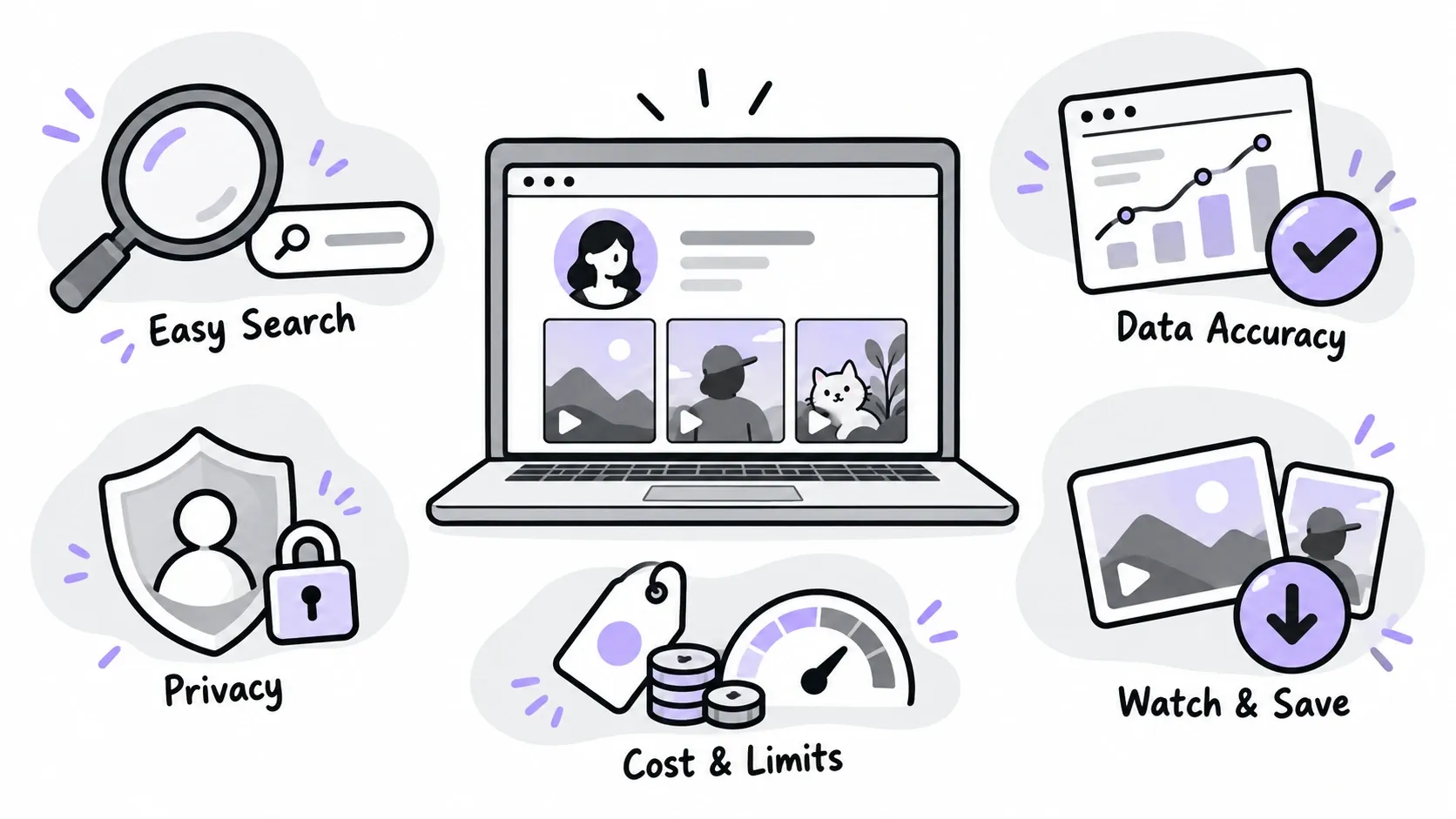
Not all repost tools serve the same purpose. Some focus on account analytics, while others are designed for watching and saving videos. Before choosing a tool, think about what you want to do and which features will make the process easier.
Ease of Use
A TikTok repost viewer should make it easy to find the search field, enter a username or profile link, and understand the results. You should be able to get useful information without spending too much time learning how everything works.
A simple layout matters even more when you need to check several profiles or repeat the same task regularly.
Privacy and Login Requirements
Before using a TikTok repost viewer, check whether it requires you to connect your personal TikTok account. If you only need to explore public reposts, a tool that does not require a TikTok login may be more convenient.
You should also check the tool’s privacy policy and understand what information it collects. Anonymous viewing does not automatically mean that all online activity is untraceable.
Data Accuracy and Availability
The information shown by a TikTok repost viewer can change when videos are deleted, accounts become private, or content becomes unavailable. Before relying on a tool for research, check whether it explains what data it can access and whether its results reflect currently available information.
If you are using repost data to make business decisions, treat it as one source of information rather than a complete picture of an account.
Video Viewing and Download Options
Choose a TikTok repost viewer based on whether you need repost counts, video previews, or both. If you are researching content ideas, the ability to preview videos may be more useful than a chart alone.
If you want to save videos for later reference, check whether downloads are supported, whether watermarks are included, and what restrictions apply. Always respect the original creator’s rights and get permission before reusing content when required.
Cost and Usage Limits
A free TikTok repost viewer may be enough for occasional searches, while frequent research may require higher usage limits or additional features. Check whether the tool has daily limits, paid plans, or restrictions on viewing and downloading.
The best choice is not always the tool with the most features. It is the one that meets your needs without adding unnecessary steps or costs.
EasyComment TikTok Repost Viewer: What Makes It Different?
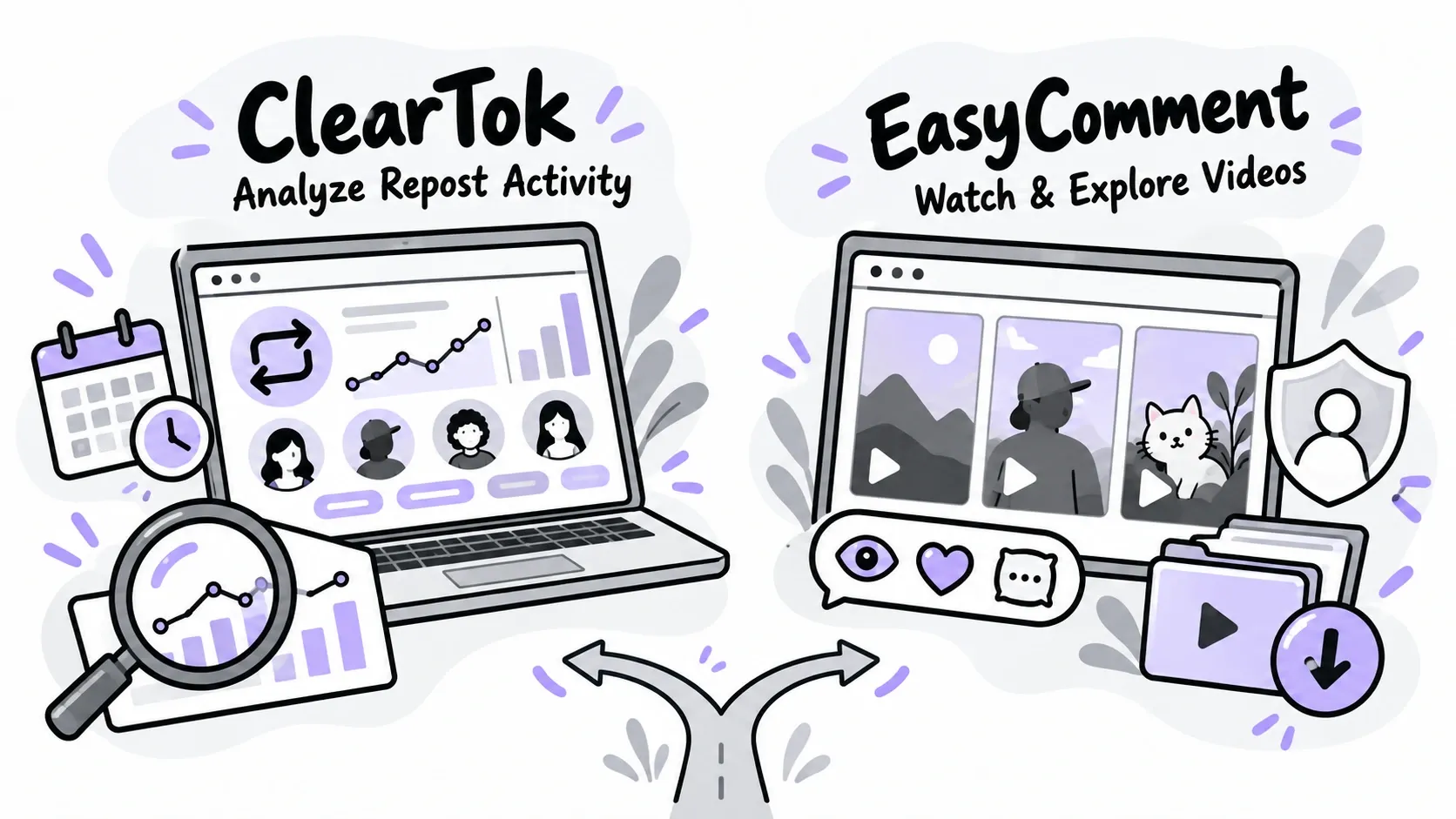
ClearTok focuses on understanding repost activity through analytics. EasyComment puts more emphasis on viewing and exploring the reposted content itself.
If you want to browse public reposts, watch videos, and save available content without connecting your TikTok account, EasyComment is worth considering.
1. Anonymous Viewing Without Connecting Your TikTok Account
EasyComment’s TikTok repost viewer is designed to let users explore available public reposts without logging in to TikTok or connecting their personal accounts.
This can be useful when you want to check a public profile without going through the usual TikTok login process.
Imagine that you are researching creators for a new marketing campaign. You find a public profile and want to see what kinds of videos the creator shares. You can use EasyComment to explore the available content without connecting your own TikTok account.
The same applies if you are simply curious about a creator’s reposts or want to discover videos related to a hobby.
EasyComment focuses on publicly available information. It does not provide access to private reposts or bypass an account’s privacy settings.
2. Watch Reposted Videos Online
Sometimes, seeing the actual video is more useful than looking at an analytics chart.
With EasyComment’s TikTok repost viewer, you can watch available reposted videos online and identify content relevant to your interests or research.
For example, a content creator may be studying short cooking videos. They might want to review how other creators present a recipe, use captions, or structure a video.
A viewing-focused TikTok repost viewer helps with this kind of task because the videos themselves remain the main focus.
It can also help marketers review content examples before deciding which topics or styles are worth exploring further.
3. Check Available Video and Engagement Details
Watching a video is only part of the research process. Sometimes, you also want to know how people have interacted with it.
EasyComment’s TikTok repost viewer also displays available video information and engagement details, such as views, likes, and comments.
For example, a social media manager researching travel creators may want to compare several reposted videos. The video topics can show what kind of content is being shared, while available engagement details can provide extra context.
These numbers should not be treated as proof that a video will perform the same way for another audience. They are useful signals, not guarantees.
Still, having the video and its available details together can make the review process more convenient.
4. Download Available Videos Without Watermarks
EasyComment’s TikTok repost viewer also supports watermark-free downloads for available videos.
This feature can be useful when you want to keep a video reference for later viewing or content review.
For example, a marketing team may be preparing a creative brief and want to review several public videos during a planning meeting. Saving permitted references can make it easier to return to them without searching for each one again.
A downloaded video should still be treated as someone else’s content. If you plan to publish it again, use it commercially, or include it in a public campaign, make sure you have the required permission.
5. Free Browser-Based Access
EasyComment presents its repost viewer as a free tool for viewing and downloading available public reposts. It works through a web browser on supported devices, so you do not need to install a separate application to get started.
This is useful if you want to check a profile on your phone or do more detailed research on a computer.
For example, you may be working on a laptop and need to review a few public reposts for a content plan. You can open the tool in your browser and begin searching without switching to the TikTok app.
ClearTok vs. EasyComment: Which TikTok Repost Viewer Should You Choose?
Both tools can help you explore public TikTok repost activity, but their main strengths are different.
ClearTok is built around repost analytics. EasyComment focuses on anonymous viewing, video previews, available engagement details, and downloads without watermarks.
The right choice depends on whether you want to study account activity or spend more time exploring the actual videos.
| Feature | ClearTok Repost Insights | EasyComment TikTok Repost Viewer |
|---|---|---|
| Main purpose | Analyze public repost activity | View and explore public reposted videos |
| View available reposted videos | Recent repost examples | Online video viewing |
| Check available engagement details | Available signals for recent examples | Available video engagement details |
| Browse without connecting a TikTok account | No TikTok password required | Designed for anonymous viewing without login |
| Download videos without watermarks | Not supported | Supported for available videos |
| Browser access | Yes | Yes |
| Cost | Free checks with usage limits; paid options offer more queries | Landing page presents viewing and downloads as free |
Feature descriptions are based on the tools’ official pages. Features and limits may change.
When ClearTok Is the Better Fit
ClearTok is worth considering when you need a clearer picture of repost activity across a public profile.
Its repost counter, timing charts, creator patterns, and caption topic analysis can help with profile audits and trend research. It can also support people who want to review their repost history before using ClearTok’s repost removal tools.
For example, if you want to understand how often a public account reposts videos or which creators appear most often in its repost history, ClearTok’s analytics are relevant to that task.
When EasyComment Is the Better Fit
EasyComment is a strong option to consider when your priority is watching and exploring public reposted videos.
Its features focus on anonymous viewing without connecting your TikTok account, online video previews, available engagement details, and downloads without watermarks for supported videos.
For example, if you are collecting video references, looking for creative ideas, or reviewing the content a creator shares, EasyComment’s viewing-focused approach may be more useful than a tool built mainly around repost charts.
You do not need to study a full analytics dashboard when all you want to do is watch a video and check its available details.
Who Can Benefit From a TikTok Repost Viewer?
A TikTok repost viewer can be useful for anyone who wants to explore publicly available reposted videos. Different users may have different reasons for checking reposts, but the goal is often the same: find relevant content and understand what people are sharing.
Content Creators Looking for Inspiration
Creators often look at other videos to learn about topics, formats, and presentation styles.
For example, a cooking creator may explore reposted recipe videos to find new ways to explain a cooking step or present ingredients. A fitness creator may look at workout videos to discover new topics for future content.
The aim is to learn from these examples and develop an original style, not copy another creator’s work.
Brands and Influencer Marketers
Brands need to understand creators before deciding whether they are a good fit for a campaign. Public reposts can offer extra context about the topics and videos a creator shares.
For example, a fitness brand may review reposted workout videos to discover relevant themes and identify creators worth researching further. Reposts alone do not prove a partnership or endorsement, so they should be considered alongside the creator’s own content, audience, and engagement.
Social Media Managers
Social media managers often collect examples for creative reviews, content calendars, and campaign planning.
A repost viewer can help them find publicly available content and study different video styles. This can make it easier to organize research and discuss creative ideas with a team.
Everyday TikTok Users
You do not need to work in marketing to find repost viewing useful.
You may simply want to explore public reposts from a creator, discover shared videos, or check content related to your interests. A browser-based tool can provide another way to explore available public reposts without relying only on the TikTok app.

Tips for Using a TikTok Repost Viewer
Whichever tool you choose, a few simple habits can make your research more useful.
Start With a Clear Goal
If you want to understand repost patterns, choose a TikTok repost viewer with counts and timing analysis. If you want to watch videos or save references, prioritize previews and supported downloads.
Knowing your goal makes it easier to choose the right tool.
Check Available Data Carefully
Repost information can change. Videos may be deleted, restricted, or become unavailable. A count or list should be treated as a view of the information available at the time of checking, not a complete record of everything an account has ever reposted.
Respect Privacy and Copyright
Use tools to explore publicly available information. Do not try to access private content without permission.
Also remember that public availability does not remove copyright restrictions. Before reusing a video, check whether you have permission for your intended use.
Use Engagement Data as Context
Views, likes, and comments can help you understand a video’s reach and response, but they do not tell the whole story.
Consider the topic, video quality, audience fit, and your own research goals before drawing conclusions.
Summary
The best tool depends on what you want to do with TikTok reposts. If you’re interested in repost trends and account activity, ClearTok is worth exploring. But if you’d rather watch shared videos, discover interesting content, or save clips for later, a viewing-focused tool may be a better fit.
Sometimes, you don’t need detailed charts or a long list of statistics. You just want to find a video, watch it, and get back to what you were doing. EasyComment makes this easier with anonymous viewing of available public reposts, online video previews, and downloads without watermarks for supported videos.
If that sounds like what you’re looking for, visit the TikTok Repost Viewer and explore it for yourself.