
ExportComments Review: Features, Pricing & Alternatives
Your TikTok video takes off. At first, the flood of comments feels exciting. Then you need to find product questions, check giveaway entries, measure audience reactions, or prepare a report. Suddenly, thousands of comments are not just engagement. They are a very long to-do list.
TikTok comments can show what viewers love, dislike, question, and want next. But turning a busy public comment thread into useful data by hand is painfully slow. A TikTok comment exporter can turn those comments into organized rows that are ready to sort, filter, and review.
This is why comment export tools have become useful for creators, brands, agencies, researchers, and giveaway hosts. They turn a crowded comment section into data that can support content planning, reporting, research, and entry management.

ExportComments is one of the better-known tools in this market. It supports TikTok and many other public platforms, offers several download formats, and provides plans for both small and very large exports. But does that broad feature set make it the right TikTok comment exporter for every user?
This review looks at what ExportComments offers, where it works well, how its pricing is structured, and who should use it. It also compares the product with EasyComment, a more focused alternative, so you can choose based on your actual workflow.
What Is ExportComments?
ExportComments is a web-based social data export service. It collects public comments and organizes them into files that users can open in Excel, analytics tools, databases, or custom applications. The company supports TikTok as well as Facebook, Instagram, YouTube, LinkedIn, Reddit, and other platforms.
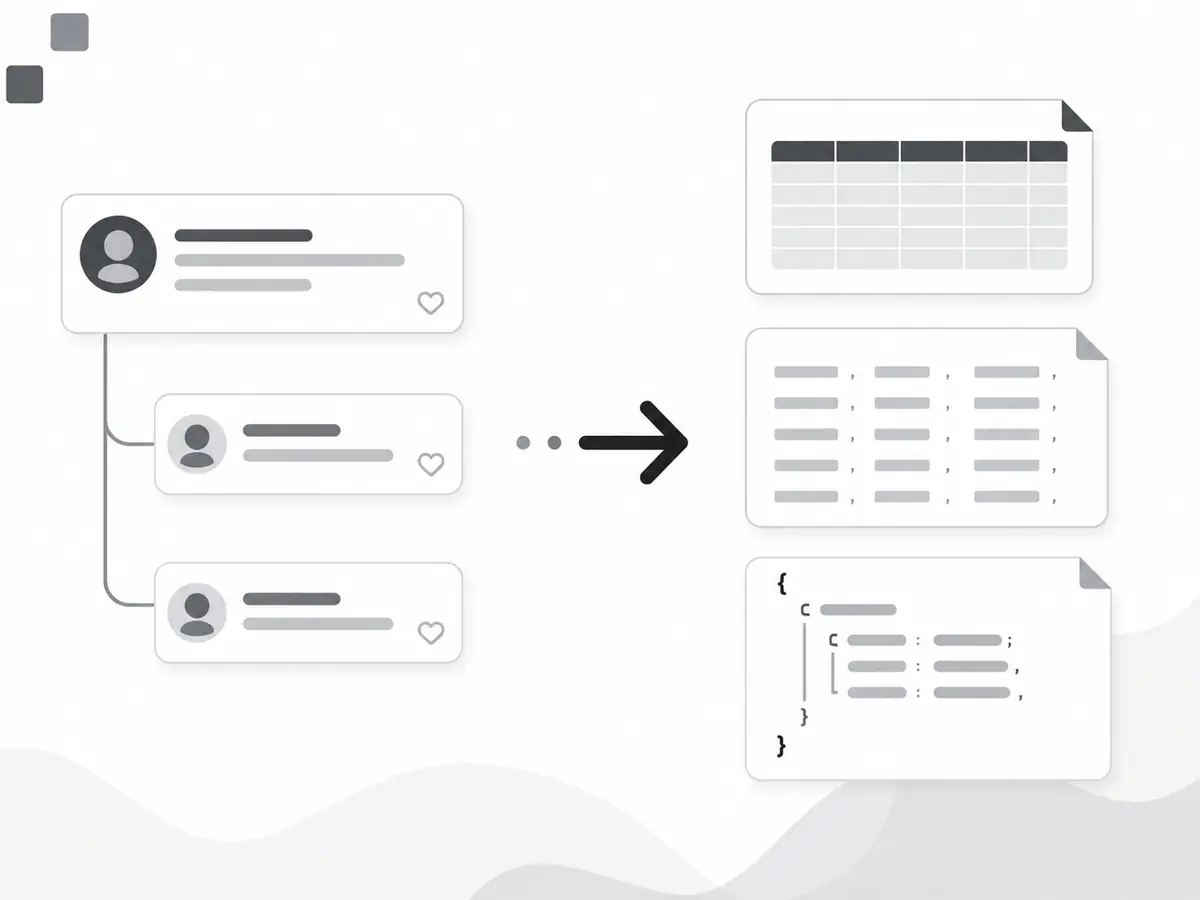
For TikTok, a user pastes a public video URL into the export page. The service then gathers the available comments and prepares a download. Its TikTok export can include usernames, display names, comment text, like counts, UTC timestamps, reply relationships, and direct comment links. Replies can also be connected to their parent comments.
ExportComments is more than a single-purpose TikTok comment exporter. It is a broader data export system for users who work across multiple platforms. This makes it useful for agencies, researchers, marketing teams, giveaway managers, and developers who want one service for several channels.
The product can only collect data it can access. Public TikTok videos are supported, but private or login-restricted content is not. Deleted, hidden, or moderated comments may also be missing from the final file.

Key ExportComments Features
Comments and Replies in One File
A top-level comment does not always tell the full story. A viewer may ask a question, the creator may respond, and other users may add more information. If a tool saves only the original comment, much of that context can be lost.
ExportComments says its TikTok comment exporter can collect public comments and available replies. Reply-related fields connect each response to its parent comment, making the file more useful for customer service reviews, audience research, and conversation analysis.
Excel, CSV, and JSON Exports
File-format support is one of the platform's stronger features. Its TikTok page lists three main formats:
- Excel (.xlsx): Suitable for manual review, sorting, filters, and spreadsheet analysis.
- CSV (.csv): Useful for databases, analytics platforms, and data pipelines.
- JSON (.json): Intended for developers and systems that need structured or nested data.
Excel is available on every plan, including the free plan. CSV begins with the Personal plan, while JSON is listed for the Business plan.
The best format depends on the workflow. Marketers may prefer Excel, analysts may need CSV, and developers may want JSON for an internal application. This range makes ExportComments a more flexible TikTok comment exporter and reduces conversion work.
Useful Comment Data
ExportComments lists fields such as username, display name, comment text, like count, UTC creation time, reply reference, and permalink. Mentions and hashtags remain in the comment text.
For teams choosing a TikTok comment exporter, structured fields are often as important as comment volume. Like counts can highlight popular reactions, usernames can help identify duplicate giveaway entries, and permalinks let community managers return to specific comments. Links for GIFs, stickers, and photo replies may also appear in a media URL field when available.
Export Limits by Plan
ExportComments applies a result limit to each export based on the selected plan:
- Free: up to 100 results per export
- Personal: up to 5,000 results per export
- Premium: up to 50,000 results per export
- Business: up to 250,000 results per export
These limits make planning easier. The Personal plan may cover a video with 3,000 comments, while Premium is more appropriate for regular five-figure exports. Business is designed for much larger datasets and technical workflows.
Large jobs may take longer because TikTok can limit repeated public-data requests. ExportComments says smaller videos often finish within minutes, while videos with hundreds of thousands of comments can take considerably longer. A user can close the page and receive an email when the export file is ready.
Bulk and Scheduled Exports
Paid users can process multiple video URLs. ExportComments says each URL in a bulk upload is handled as a separate job and that completed files can be packaged in a ZIP file. This can save time for an agency preparing a campaign report across several creators or sponsored videos.
Premium also includes scheduled exports and two workflows, while Business increases the workflow allowance to ten. These features make the TikTok comment exporter more suitable for recurring reporting because teams can collect updated comments without starting every job manually.
API Access
Business users can access the ExportComments API. The API can help companies connect exported comment data to an internal dashboard, storage system, moderation process, or reporting workflow.
Most creators and small businesses will not need this level of integration. For technical teams with established data processes, however, API access turns the service into more than a basic TikTok comment exporter and may be one of the main reasons to choose ExportComments.
Where ExportComments Stands Out
The clearest benefit is time savings. Copying 5,000 comments at five seconds each would take nearly seven hours without breaks—and that excludes replies, usernames, likes, links, and cleanup. A TikTok comment exporter changes the task from manual copying to reviewing an organized file.
Structured output is another advantage. The value of a TikTok comment exporter depends on both data volume and usability. Consistent columns let teams sort by likes, remove duplicates, and filter for terms such as “price,” “shipping,” “size,” or “refund.”
Multi-platform support also helps agencies that report on TikTok, Instagram, YouTube, and Facebook. Scheduled exports, workflows, JSON, and API access add further value when the same process needs to run every week.
What to Consider Before Choosing ExportComments
ExportComments offers a broad feature set, but not every user needs that breadth. A creator who only wants one Excel or CSV file may not benefit from multi-platform support, scheduled workflows, or API access. In that case, a more focused TikTok comment exporter with flexible pricing may be easier to justify.
File-format access depends on the plan. Excel is available on the free tier, CSV requires Personal or above, and JSON is limited to Business. The 100-result free limit supports a basic test but may not reflect a high-engagement video.
No export service can guarantee access to comments that TikTok has removed, hidden, or restricted. The number of rows in a downloaded file may therefore differ from the comment count shown on the video.
Teams should still store exported data responsibly and collect only the information needed for a legitimate purpose.
ExportComments Pricing Overview
ExportComments offers several plans based on usage volume and features. The main differences are the maximum results per job, available file formats, data-retention periods, and access to scheduling, workflows, JSON, or the API.
- Free plan: Basic testing with limited results
- Short-term pass: One-time access for smaller projects
- Monthly plan: Higher limits and features for recurring work
- Business plan: Large-scale exports, API access, and automation
Pricing increases with data volume and workflow complexity. Before paying, users should estimate how many videos they plan to process and whether they need replies, CSV, JSON, scheduling, or API access. Those requirements will usually determine which TikTok comment exporter plan offers the best value.
Who Is ExportComments Best For?
ExportComments is best suited to agencies working across several platforms, researchers collecting structured public data, marketing teams running recurring exports, developers who need JSON or API access, and companies processing large datasets.
It may be more than necessary for someone who only needs to export TikTok comments occasionally in Excel or CSV.
A More Flexible TikTok Comment Exporter Alternative
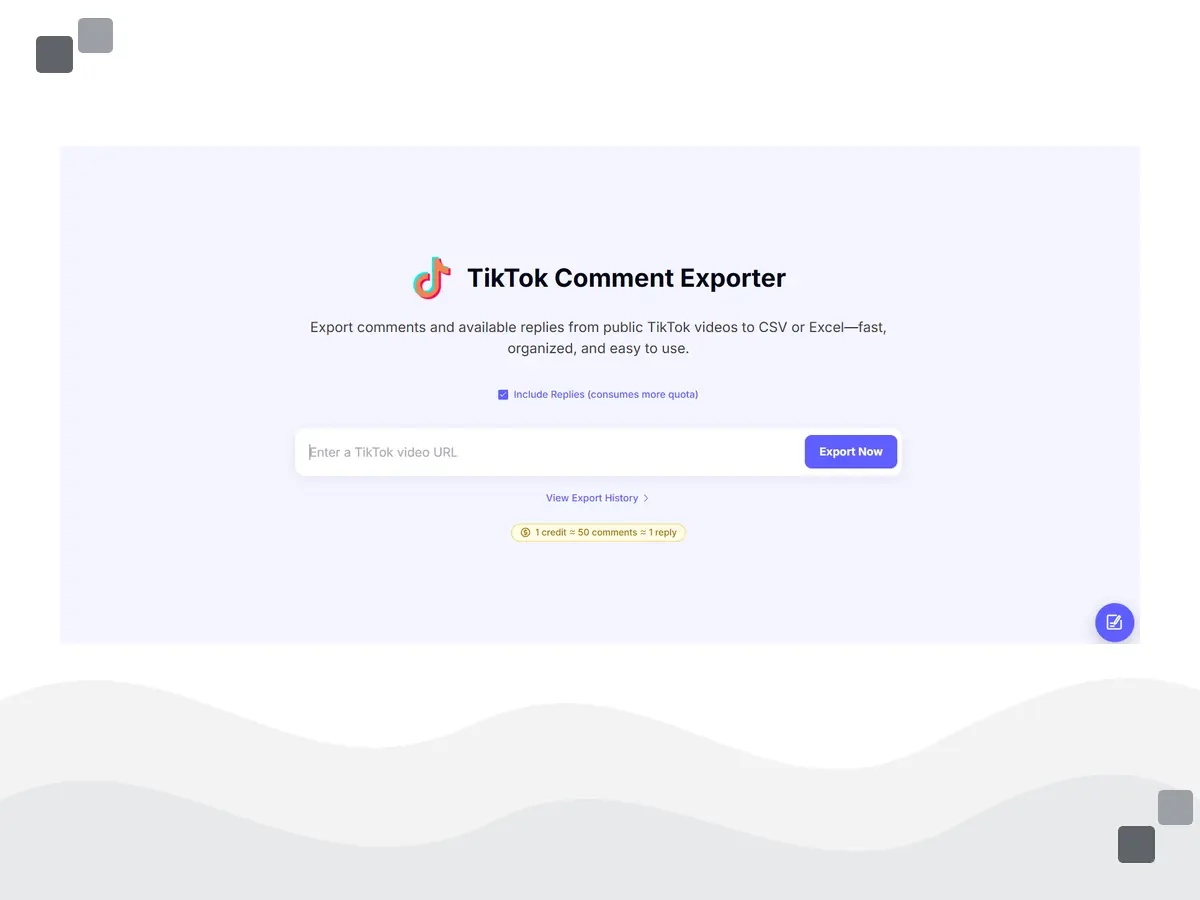
EasyComment collects available comments and replies from public TikTok videos. As a TikTok comment exporter, it emphasizes a straightforward workflow: paste a URL, choose whether to include replies, start the export, and download Excel or CSV.
EasyComment focuses more narrowly on straightforward comment exports and flexible credit-based usage. New users can test the workflow with free credits before deciding whether to purchase a larger option.
Users can choose a monthly subscription or a one-time credit pack, allowing occasional users to pay for individual projects.
The TikTok export page estimates that one credit covers about 50 comments or one reply. Collecting replies requires additional processing and uses more credits. Actual usage can vary, so users should review the estimate displayed before starting a large job.
Completed jobs are stored in a dashboard, which is useful when a campaign includes several videos or a team needs to revisit an earlier result.
EasyComment Features and Benefits
Free Credits for Testing
Public social data is not always consistent, so testing a TikTok comment exporter before starting a large job is important. EasyComment states that free accounts receive credits. Users can export a smaller set, open the file, review the available fields, and decide whether the workflow fits their needs.
This lowers the initial barrier for users who want to inspect the output before purchasing more credits.
Comment and Reply Details
EasyComment can export public top-level comments and available reply details, making the file more useful for reviewing full conversations.
For example, a restaurant may post a new menu video. Top-level comments might ask about prices, ingredients, locations, or dietary options. Replies may include answers from the restaurant or additional information from customers. A reply-aware TikTok comment exporter gives the team a more complete view of the discussion.
High-Volume Processing
EasyComment positions fast processing as one of its main benefits for larger exports. This can be useful for viral videos and campaigns involving multiple posts. Manual collection becomes increasingly impractical as comment volume grows, and slow processing can delay a report.
Completion times can still vary with video size, reply volume, and TikTok access conditions, so speed should be viewed as a product focus rather than a fixed guarantee.
Excel and CSV Downloads
Excel and CSV cover the most common business workflows. Excel is convenient for manual review, filters, formulas, and pivot tables. CSV works well with databases, analytics platforms, CRM systems, and other tools.
EasyComment does not list JSON as a standard TikTok download format. Developers who need nested JSON may prefer ExportComments Business. For most creators, marketers, and smaller agencies choosing a TikTok comment exporter, however, Excel or CSV will usually be sufficient.
Dashboard and Export History
The dashboard keeps completed jobs in one place, reducing file confusion when a user works with multiple videos. A TikTok comment exporter with accessible job history is especially useful for recurring campaigns because users can review previous jobs and return to earlier results through their account area.
This is helpful for agencies that export several campaign videos each week and revisit the files for monthly reporting.
Monthly Plans and One-Time Credit Packs
EasyComment currently lists monthly plans at $9 for 300 credits, $19 for 1,000 credits, and $49 for 2,000 credits. It also lists one-time packs ranging from $3 for 50 credits to $149 for 7,500 credits. One-time credit packs do not expire and can be combined.
Credits can be used across EasyComment export tools, although the amount of data provided by one credit depends on the export type. A creator may buy a small pack for one campaign, while an agency with recurring projects may prefer a monthly plan.

TikTok Comment Exporter Use Cases
Creator Content Research
A creator can use a TikTok comment exporter to group recurring questions from a high-performing video. Requests for a tutorial, product link, price, source, or part two can help guide the next post. Sorting by like count can also reveal which requests have the strongest support.
Brand Feedback Review
Product teams can search exported comments for brand names and common issue terms. Filtering for “size,” “delivery,” “quality,” “price,” or “refund” can divide a large thread into smaller feedback categories and make the first review faster.
Influencer Campaign Reporting
An agency can compare comment volume, recurring themes, audience questions, and highly liked reactions across sponsored videos. Exported data can also add real audience language to a client report, providing more context than screenshots or total comment counts alone.
Giveaway and Question Management
A giveaway host can remove duplicate usernames and filter for required words, mentions, or hashtags. Community teams can also filter for questions and use reply information to see whether each one received an answer. Giveaway hosts should still publish clear rules and use a fair, documented selection process.

ExportComments vs. EasyComment: TikTok Comment Exporter Comparison
| Feature | ExportComments | EasyComment |
|---|---|---|
| Public TikTok comment export | Yes | Yes |
| Reply details | Yes | Available replies |
| Excel | Yes | Yes |
| CSV | Personal plan and above | Yes |
| Free access | Up to 100 results per export | Free account credits |
| Pricing model | Free, short-term, monthly, or annual plans | Monthly plans and one-time credit packs |
| Large export approach | Fixed limits based on plan | Credit-based usage |
| Export history | Account history with retention rules | Dashboard history for viewing and management |
| Best fit | Multi-platform teams, automation, JSON, and API users | Creators, marketers, agencies, and flexible TikTok exports |
Final Verdict
ExportComments is a capable choice for teams that need more than a basic TikTok comment exporter. Its multi-platform coverage, file-format options, scheduled workflows, large export limits, and API access make it particularly suitable for agencies, researchers, developers, and larger marketing teams.
The tradeoff is that some of its most valuable capabilities are tied to higher-tier plans. Users who only need occasional TikTok exports may find that they are paying for features they rarely use.
EasyComment is better suited to creators, marketers, small agencies, and occasional users who mainly want comments and available replies in Excel or CSV. Its monthly plans and one-time credit packs provide more flexibility when export needs change from one project to another.
Before choosing either service, run a small public-video test. Check whether the comments and replies you need are available, review the exported columns, and estimate how many videos and comments you expect to process each month.
Choose ExportComments if multi-platform support, JSON, scheduling, API access, and automation are central to your workflow. Choose EasyComment if you prefer a focused TikTok comment exporter with flexible credits, Excel or CSV output, reply collection, and dashboard-based history.