
How To Watch TikTok Without App
TikTok is full of useful videos, new ideas, and creators worth following. But you do not always need the mobile app to find the content you want. Maybe a friend sent you a profile link. Maybe you want to research creators before a marketing campaign. Or maybe you simply want to check a public account without signing in to TikTok.
You can access some TikTok content through a web browser. An online TikTok account viewer can also help you search for accounts and explore available profile information in one place. Instead of looking for every creator separately, you can use a dedicated tool to find profiles and review their public details.
In this guide, we will explain how to watch TikTok without the app, what information you can access, and how EasyComment can make account research easier.
What Is a TikTok Account Viewer?
A TikTok account viewer is an online tool that helps people find and explore TikTok accounts through a web browser. It focuses on account discovery and available profile information rather than the full range of social features offered by the TikTok app.
Think about the last time you wanted to check a creator's profile. You may have wanted to read their bio, look through their public posts, or check their follower count. If you were researching several creators, you might have needed to repeat the same process many times.
A TikTok account viewer can make this task more direct by bringing available account details together in one place.
For example, imagine that you are planning a series of fitness videos. You want to see how other creators present workout tips, home exercises, and healthy recipes. You can search for relevant public accounts, review their available information, and decide which creators are worth exploring further.
The same approach works for businesses researching potential influencers, social media managers studying their niche, and everyday users looking for new creators.
What Information Can You View?
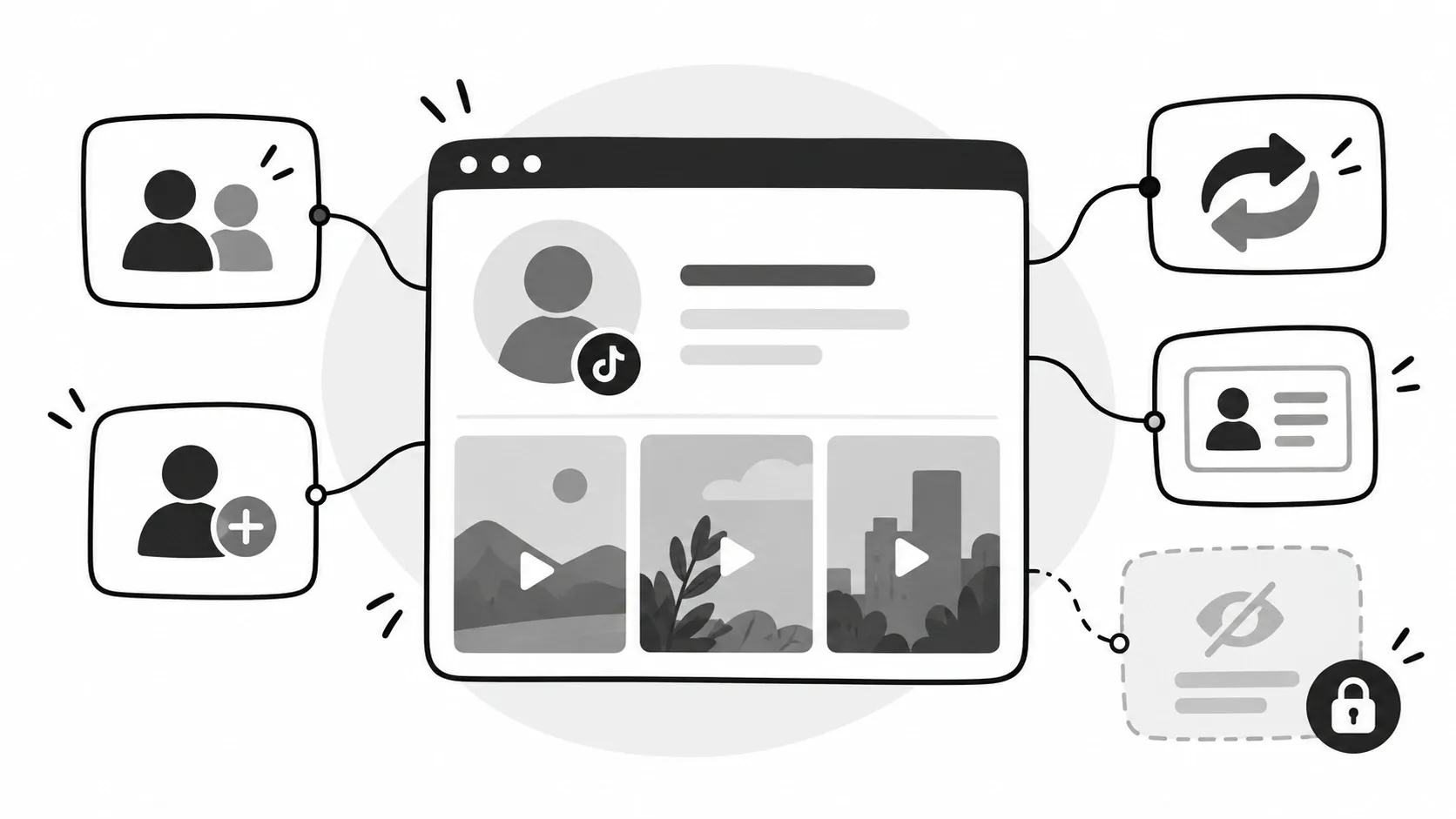
The information available depends on the account's privacy settings and the data the tool can access. Common examples include:
- Profile details: Public usernames, display names, profile photos, and bios.
- Public posts: Videos and other content that the creator has made available.
- Follower information: Follower counts and other available details.
- Following information: Details about accounts the creator follows, when available.
- Reposts: Repost information when it is publicly available and supported by the tool.
Not every profile will show all these details. Platform restrictions and account privacy settings can affect what you see. A TikTok account viewer cannot make private videos public or give you permission to access restricted content.
How To Watch TikTok Without App Using EasyComment
If you only want to check one profile, you can try opening its public URL in a browser. But if you need to search for accounts or explore several creators, a TikTok account viewer may be more convenient.
EasyComment lets you search for accounts by username, profile URL, or keyword. Once you find a profile with the TikTok account viewer, you can load the available information and review the details provided by the tool.
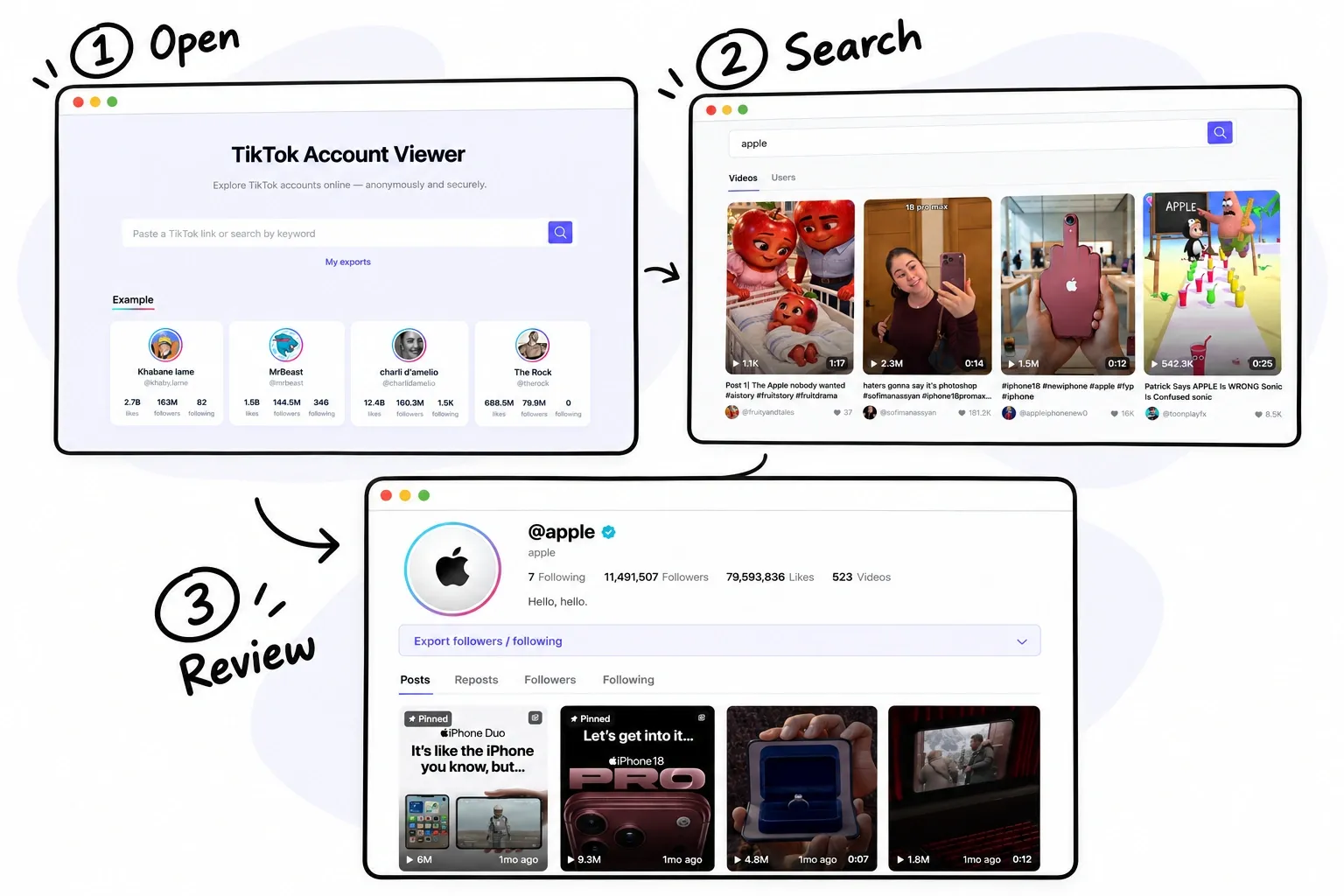
Step 1: Open EasyComment in Your Browser
Visit the EasyComment TikTok account viewer page in your browser.
You can start from a computer, laptop, tablet, or phone with a supported browser. You do not need to install EasyComment as a separate mobile app to begin searching.
This is useful when you want to check a profile quickly. It also works well when you are already using a computer for research and do not want to switch between devices.
Step 2: Find the Account You Want to Explore
Enter a username, profile URL, or keyword in the TikTok account viewer search field.
If you know the creator's username, search for it directly. If someone has shared a profile link with you, use that URL. If you do not have a specific account in mind, try keywords related to the content you want to explore.
For example, a person looking for skincare creators can start with terms related to beauty or skincare. The available results can help them discover profiles that match their interests.
Step 3: Review the Available Profile Information
After finding an account, load the information that the TikTok account viewer can access.
Depending on the profile, you may be able to review public profile details, posts, reposts, followers, and following information.
Suppose you are researching a travel creator. You may want to check the profile details and public posts to understand the topics they cover. If you are looking for a potential marketing partner, this information can help you decide whether the creator deserves a closer review.
The process is straightforward: find the account, load the available details, and focus on the information that matters to you.
Why Choose EasyComment as Your TikTok Account Viewer?
Finding a way to access TikTok through a browser is only part of the problem. You also need a convenient way to discover accounts and review the information available to you.
EasyComment focuses on account discovery and public profile viewing. Its features can help make this process more direct, whether you are researching creators for work or exploring accounts for personal interest.
1. Flexible TikTok Account Discovery
Finding the right account can be difficult when you do not know the exact username. You might remember a creator's name but not their full profile link. Or you may know the topic you are interested in but have no idea which accounts to explore.
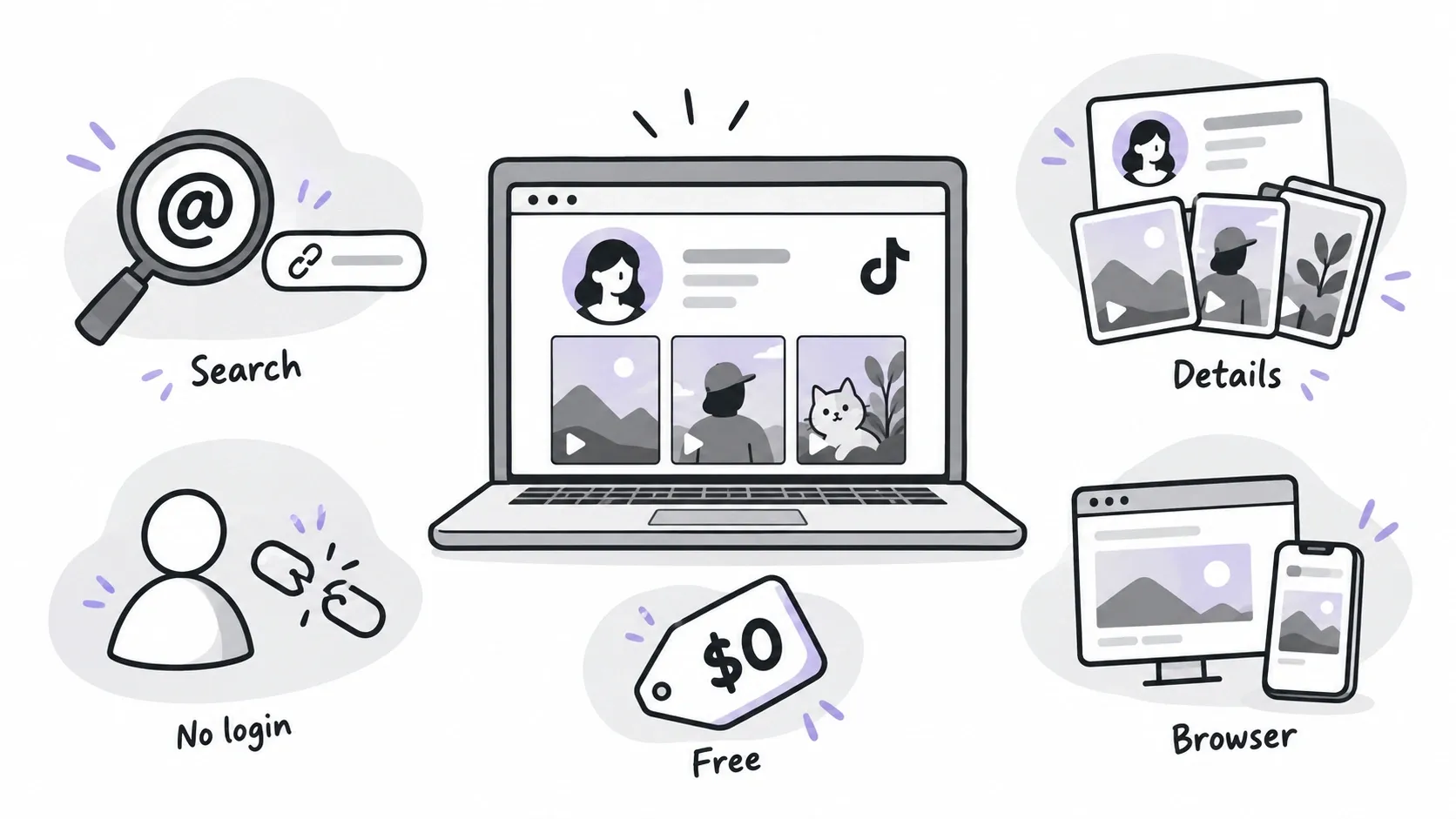
The EasyComment TikTok account viewer supports searches by username, profile URL, and keyword. This gives you different ways to discover public profiles based on the information you already have.
For example, a marketer researching beauty creators can search for a known username, use a profile URL, or explore relevant keywords to find accounts in that niche.
This flexibility makes EasyComment useful for both targeted account research and discovering new creators. You do not need to know every account in advance to begin exploring.
2. Convenient Access to Available Account Details
When researching a creator, you may need more than a username. You may want to understand their content, check their public profile, and review available follower information before deciding whether to explore the account further.
The EasyComment TikTok account viewer lets you view available profile information, posts, reposts, followers, and following details through one online tool.
Consider a social media manager who is preparing a list of potential creators for a campaign. They can use the tool to find public profiles and review the information available for each account. This provides a starting point for a more detailed evaluation.
A TikTok account viewer can support this first stage of research, but it does not replace a full assessment of audience fit, content quality, engagement, or campaign performance. If a detail is important to your decision, check it against the public profile when possible.
3. Private Browsing Without Connecting Your TikTok Account
One of the EasyComment TikTok account viewer benefits is that it is designed to let users explore available public account information without connecting their own TikTok accounts.
This can be useful when you want to keep your personal TikTok activity separate from your research.
For example, a small business owner may want to look at public accounts in the same industry before planning a campaign. A content creator may want to explore similar profiles for inspiration. Neither task requires the full set of social features offered by the TikTok app.
Using EasyComment gives you another way to search for accounts and review available details without connecting a TikTok account to the viewing process.
There is an important distinction, though. Browsing without connecting your TikTok account does not guarantee that all online activity is invisible or untraceable. Websites may still process technical information, and the tool cannot provide access to private content.
4. Free Access for Everyday Account Research
Cost is another factor to consider when choosing an online research tool.
EasyComment presents its TikTok account viewer as a free tool for exploring available public account information. This can be useful for individual creators, students, small businesses, and marketing teams that want to begin researching accounts without adding another paid service.
For example, if you are planning a new content series, you may want to explore creators in your niche before deciding on your own approach. You can start by searching for relevant profiles and reviewing the information available through the tool.
Check the current website for its latest features and any usage limits before making it part of a regular workflow.
5. Browser-Based Access Without Extra Installation
Not everyone wants to download an app just to check a profile. If your goal is account research, a browser-based tool can be a more direct option.
You can open the EasyComment TikTok account viewer on a supported device and begin searching without installing a separate application. This can be convenient when you work on a computer, prefer a larger screen, or want to check an account while browsing the web on your phone.
For example, a marketing team reviewing creators during a planning meeting may find it easier to use a browser to search for profiles and take notes. The tool provides a starting point for research without requiring the team to use the TikTok app for every search.
The exact experience depends on your device, browser, and the information available for each account.
TikTok Account Viewer vs. TikTok App: Which Is Better?
Both the TikTok app and a TikTok account viewer can help you find TikTok accounts, but they serve different purposes.
The TikTok app is designed for the full social media experience. You can watch videos, follow creators, comment, publish content, and use other features based on your account and the platform's rules.
An online TikTok account viewer focuses on finding accounts and exploring available public profile information. EasyComment is designed for this kind of account research.
| Feature | TikTok Account Viewer | TikTok App |
|---|---|---|
| Access method | Web browser | Mobile app |
| Install a mobile app | Not required for browser access | Required to use the mobile app |
| Connect a TikTok account for basic viewing | EasyComment is designed to work without connecting your account | Some features require login |
| Search public accounts | Supported by the tool | Supported |
| View available profile details | Depends on available data | Depends on the profile and platform features |
| Research several accounts | Useful for account research | Possible through the app |
| Publish videos | Not its main purpose | Supported |
| Follow and interact with creators | Not its main purpose | Supported |
| Access private videos without permission | Not supported | Not available without the required access |
A More Direct Way to Research Public Accounts
If you mainly want to look up public profiles, you may not need all the features of TikTok.
With EasyComment, you can start from a browser and search for accounts without connecting your TikTok account. You can use usernames, profile URLs, or keywords to find creators and explore the information available to you.
This can make the process more convenient when you only want to check a profile, research a competitor, or discover creators in a particular niche.
However, an online viewer is not a full replacement for TikTok. If you want to publish videos, follow accounts, send messages, or interact with creators, the official TikTok app or website is more suitable.
The best choice depends on your goal. Use TikTok for the full social experience and EasyComment when you want a simple way to search for public accounts and review available details.
Tips for Getting Better Results
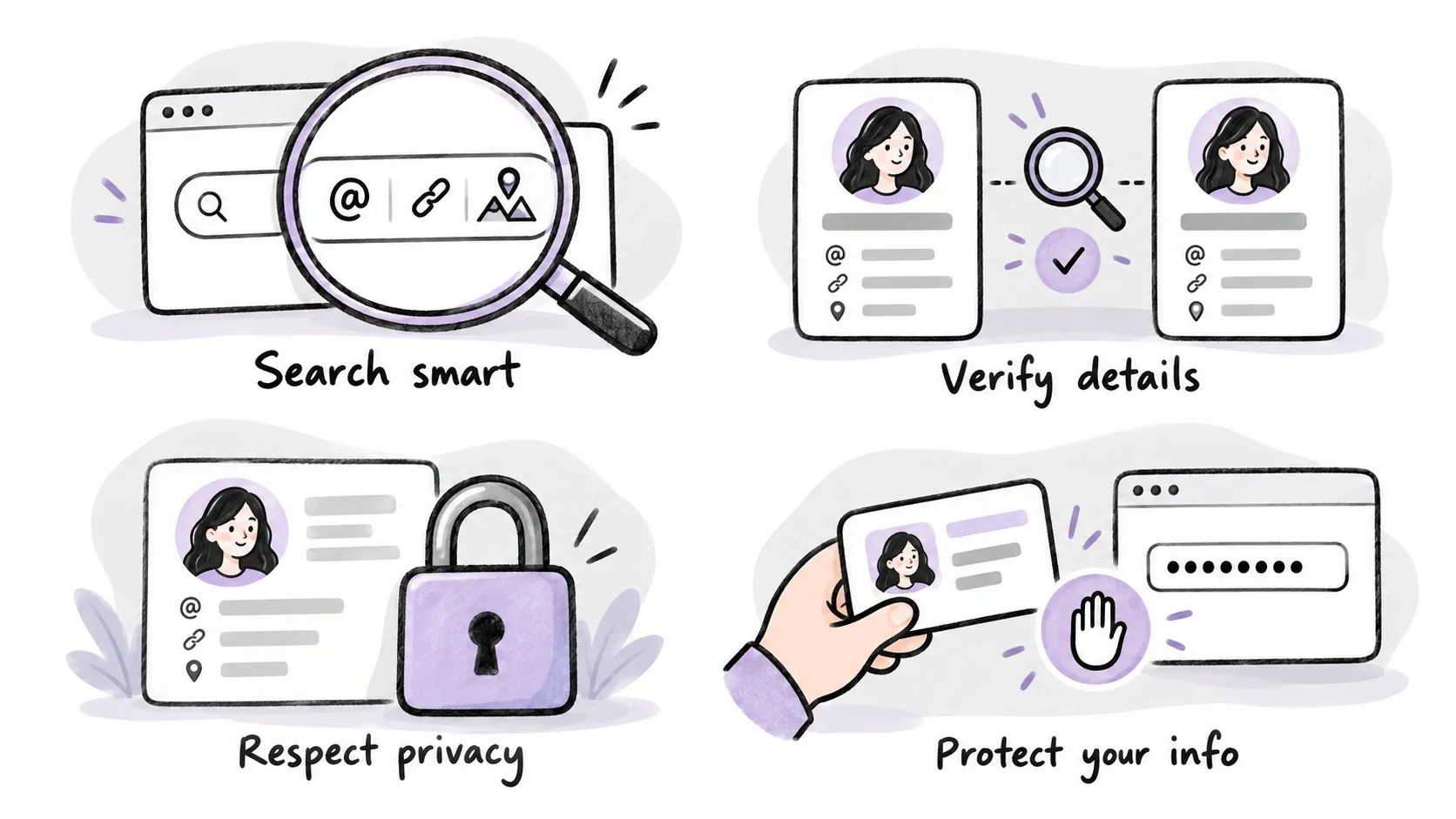
A few simple practices can make your account research more useful.
Choose Search Terms That Match Your Goal
If you know the username, search for it directly. If you have a profile URL, use that. If you want to discover creators, try keywords related to their content.
For example, someone researching travel creators might start with terms related to budget travel, local food, or outdoor activities. They can then review the available profiles and identify accounts that fit their needs.
Check Important Information
Online tools may not always show the latest profile details. If a follower count or another detail is important to a business decision, compare the available information with the public profile when possible.
This matters when you are selecting creators for a campaign or preparing competitor research.
Respect Account Privacy
Use a TikTok account viewer to explore information that is available to you. Private accounts limit access to approved followers, and a tool should not be used to bypass those restrictions.
TikTok explains the difference between public and private accounts in its official account privacy guidance.
Protect Your Personal Information
A TikTok account viewer should not need your TikTok password just to search for public accounts. Use websites that explain their privacy practices, and avoid sharing sensitive information when it is not needed.
Summary
Watching TikTok without the app can be possible through a web browser, depending on the content and access available. You can open public profile links directly or use an online tool to search for accounts and review available information.
A TikTok account viewer is useful when you want to find public profiles and explore available details without relying only on the TikTok mobile app. EasyComment supports searches by username, profile URL, and keyword, and lets you review available profile information, posts, reposts, followers, and following.
The main benefit is convenience. You can start from a browser, discover accounts in different ways, and explore available public information without connecting your TikTok account. The information available may vary by profile, and the tool does not provide access to private content.
You might only need to check one creator today, or you may want to research several accounts for a future project. Either way, you can start with the information you have and explore from there.